
Security
LOKOT
Local-first password manager for Windows with encrypted vaults, secure browser autofill, Windows Hello and private Android sync.
Latest public release
Available
Current version
v1.0.9
Download for Windows
Other downloadsOther platforms
20 downloads
Verified package
About
LOKOT is a local-first password manager built to keep sensitive data under your control. Passwords, passkeys, TOTP secrets, secure notes, identities, payment cards, software licenses, server credentials and custom records are protected inside an encrypted vault on your device.
LOCAL-FIRST PRIVACY
Your vault is unlocked and processed locally. LOKOT does not upload vault contents or your master password to a cloud password service. Network access is used only for functions you choose, such as license activation, update checks, browser-store updates and optional compromised-password checks.
FAST, CONTROLLED SIGN-INS
The official LOKOT browser extension recognizes supported HTTPS sign-in forms, shows matching accounts, fills the selected credentials and can save new or changed logins after your confirmation. A built-in password generator creates strong passwords locally.
SECURITY TOOLS
Unlock the Windows vault with your master password or Windows Hello. Security Center identifies weak and reused passwords locally. Its optional compromised-password check uses a privacy-preserving hash-prefix lookup, so the complete password and complete hash are never sent.
WINDOWS AND ANDROID
Pair the separate LOKOT Android application with a one-time QR code while both devices are on the same local network. Synchronization is end-to-end encrypted and does not require a cloud vault.
FREE AND PRO
LOKOT Free supports up to 10 active vault items on one device. LOKOT Pro removes the item limit and allows one license to activate up to six Windows and Android devices.
LOCAL-FIRST PRIVACY
Your vault is unlocked and processed locally. LOKOT does not upload vault contents or your master password to a cloud password service. Network access is used only for functions you choose, such as license activation, update checks, browser-store updates and optional compromised-password checks.
FAST, CONTROLLED SIGN-INS
The official LOKOT browser extension recognizes supported HTTPS sign-in forms, shows matching accounts, fills the selected credentials and can save new or changed logins after your confirmation. A built-in password generator creates strong passwords locally.
SECURITY TOOLS
Unlock the Windows vault with your master password or Windows Hello. Security Center identifies weak and reused passwords locally. Its optional compromised-password check uses a privacy-preserving hash-prefix lookup, so the complete password and complete hash are never sent.
WINDOWS AND ANDROID
Pair the separate LOKOT Android application with a one-time QR code while both devices are on the same local network. Synchronization is end-to-end encrypted and does not require a cloud vault.
FREE AND PRO
LOKOT Free supports up to 10 active vault items on one device. LOKOT Pro removes the item limit and allows one license to activate up to six Windows and Android devices.
Highlights
Local-first encrypted vault
Sensitive data stays encrypted and is processed on your device.
Secure browser autofill
Choose matching accounts, fill supported HTTPS sign-ins and save confirmed changes.
Windows Hello unlock
Open the desktop vault with your master password or Windows Hello.
Security Center
Find weak, reused and known-compromised passwords with privacy-conscious checks.
Encrypted Android pairing
Synchronize Windows and Android over your local network with end-to-end encryption.
Flexible vault records
Store passwords, passkeys, TOTP secrets, notes, identities, licenses, servers and more.
Gallery
Screenshots

Unlock your local vault with a master password or Windows Hello Windows
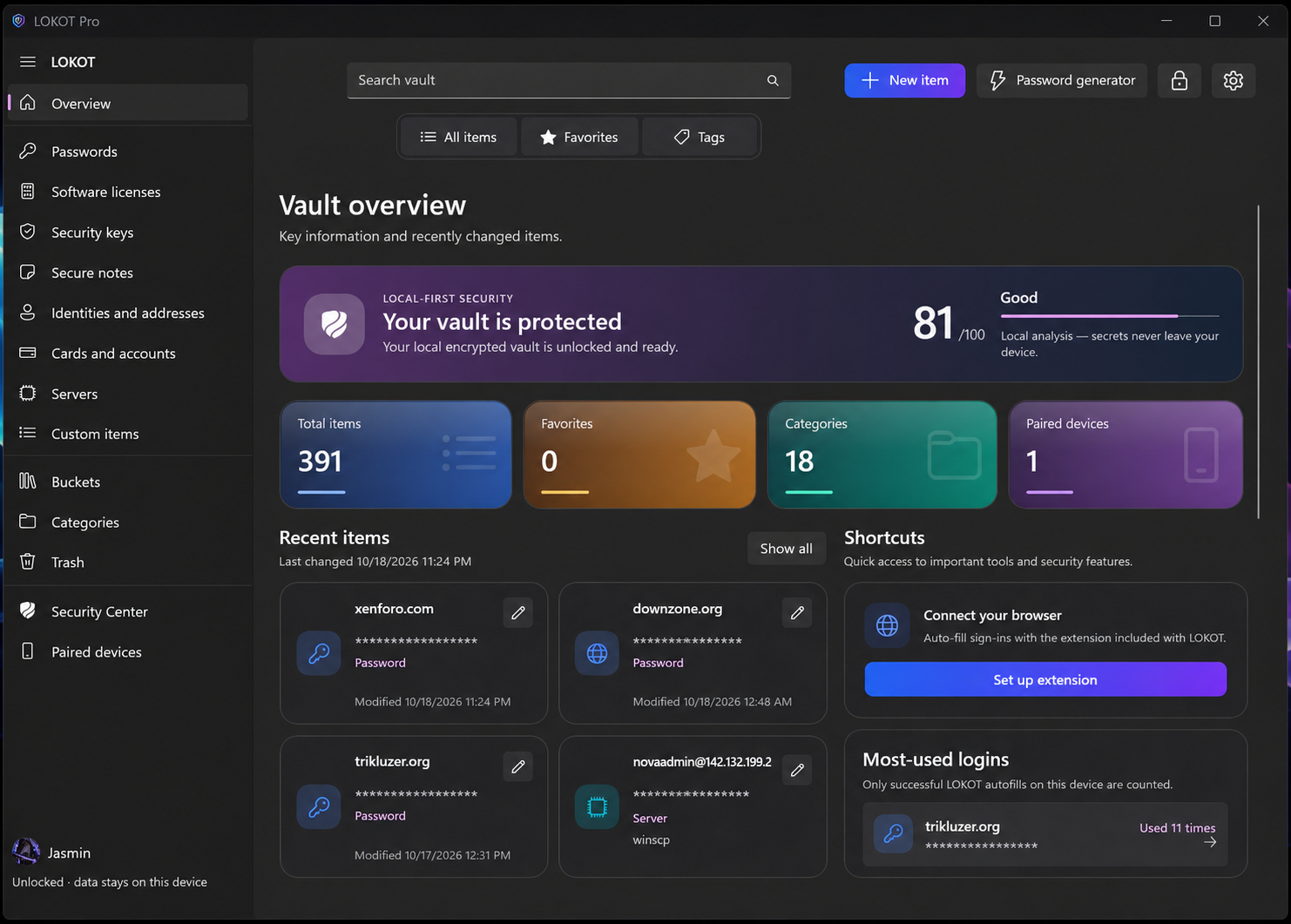
Vault overview with security score, item categories and recent activity Windows
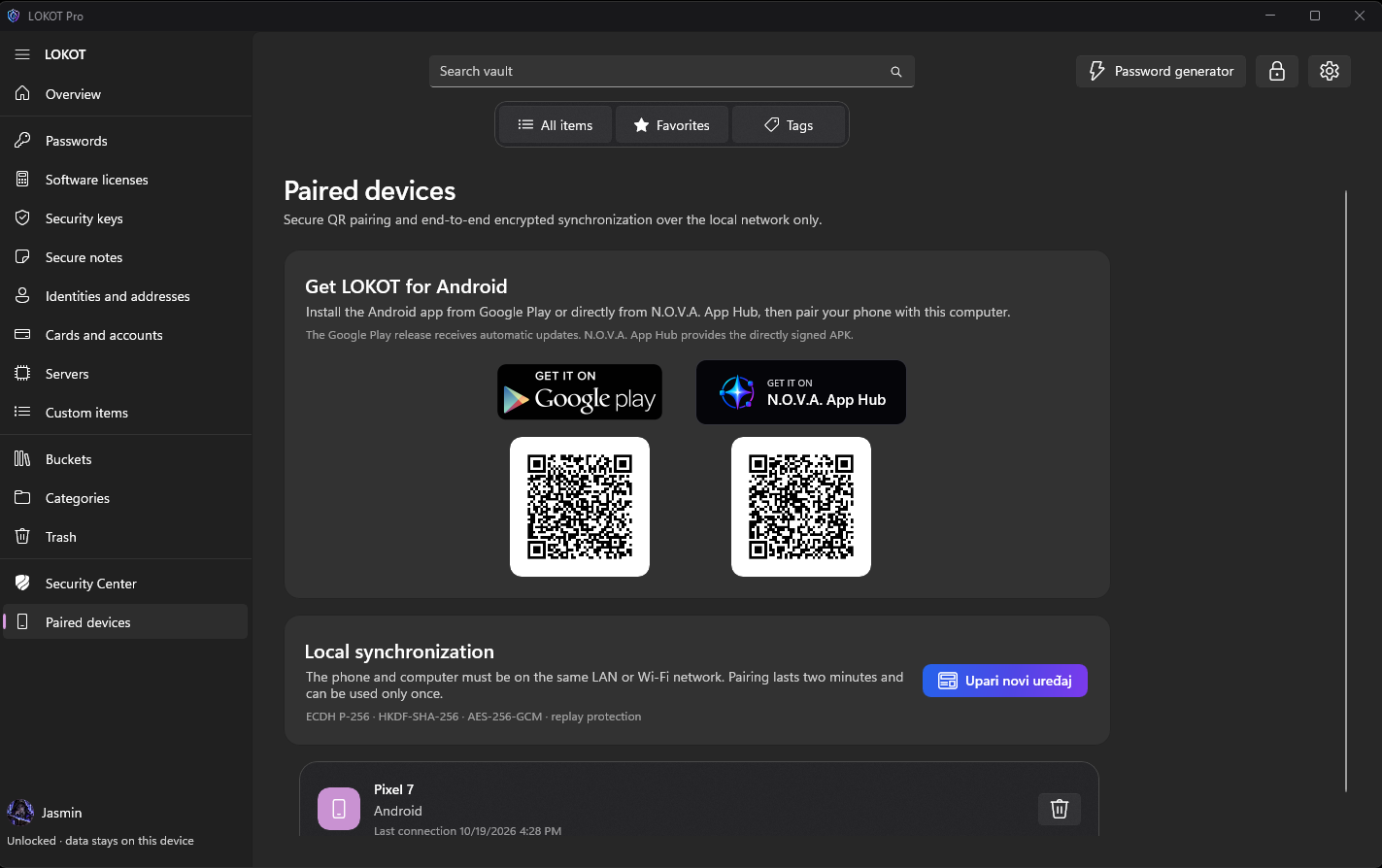
Pair LOKOT Android using secure local-network synchronization Windows

Review weak, reused and compromised passwords in Security Center Windows
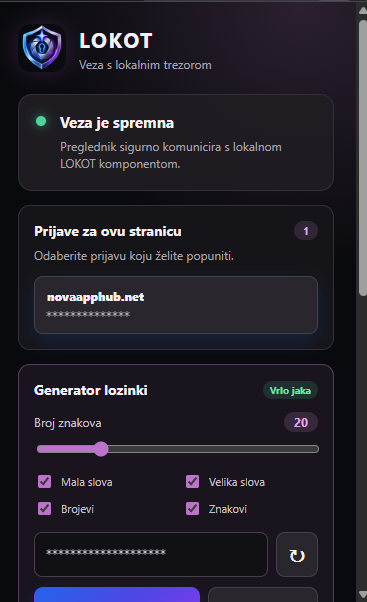
Choose matching logins and generate strong passwords in the browser extension Windows
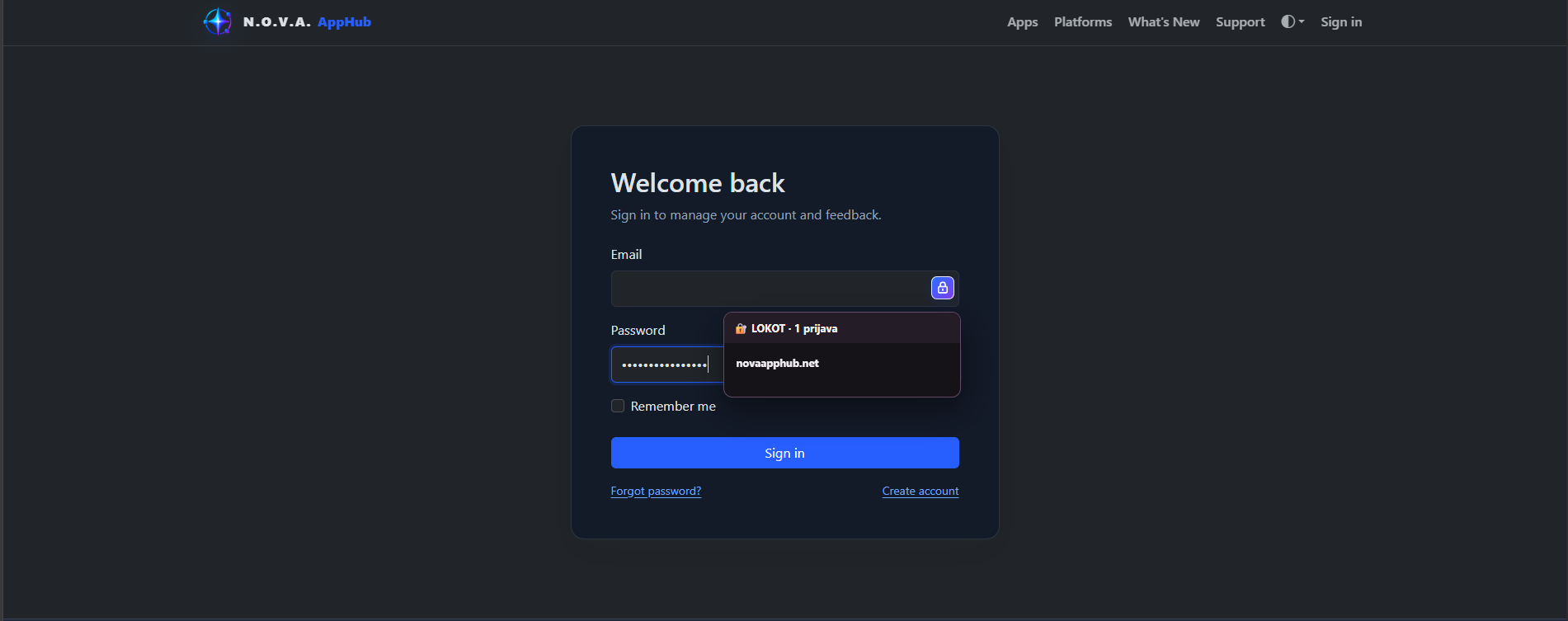
Fill supported sign-in forms directly from your browser Windows
Select an image to open it at full size.